


tcme · · 3.26K views
How to Schedule Posts in Telegram?
At times there might come a situation when you would want to send a particular message out to your followers on Telegram at a specific time. There will be certain situations when you cannot simply broadcast the messages to your followers right away. For instance, say a particular thought came to your mind late in the night and you want to share it right away, as you are afraid you might forget it in the morning.
At the same time, you also know that sharing the message these late will disturb everyone in their sleep. This is where you can make use of the schedule post feature in Telegram. There are a couple of methods to schedule a post in Telegram. In this article, we will discuss the different ways in which you can schedule a post in Telegram.
Ways to Schedule Posts in Telegram
1. Using @ControllerBot
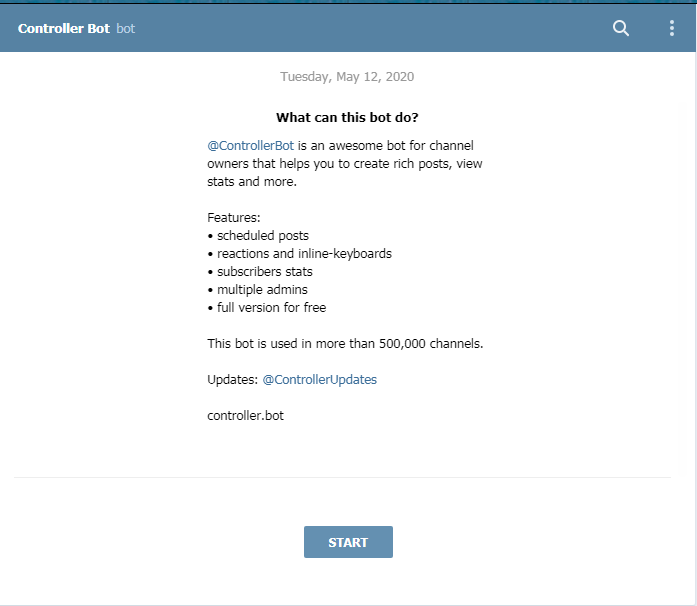
Telegram offers several features that can be successfully implemented using different bots to streamline the operations of your channel on the messaging app. @ControllerBot is one such bot available on Telegram to schedule post in Telegram for your channel. The following are the below-discussed steps that will help you to connect @ControllerBot to your Telegram channel.
-
Search for @ControllerBot in the search box and type /start.
-
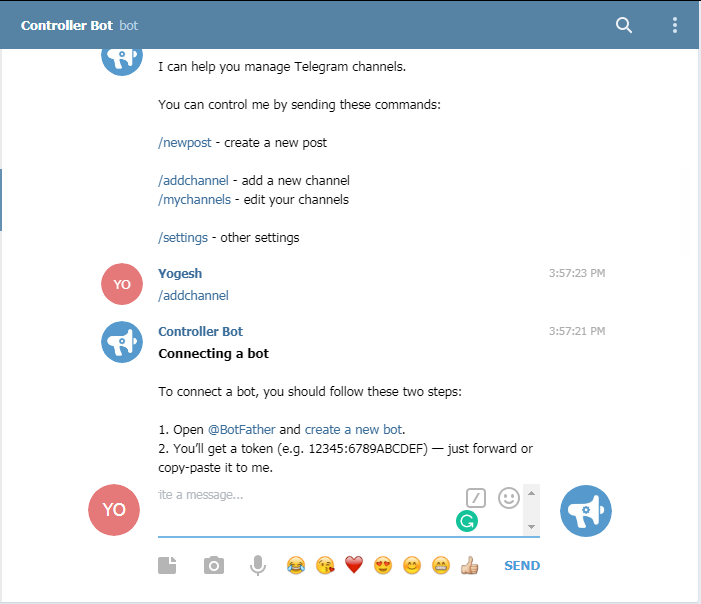
Now type /addchannel in the chat box.
-
It will ask you to connect a bot. For scheduling posts on all of your channels, you will need only one bot.
-
Open @BotFather and send the token to the @ControllerBot.
-
If you don't have a bot created, search @BotFather in the search box and send /newbot command.
-
Provide the username and it will give you the token, which you can copy-paste in the @ControllerBot window.
-
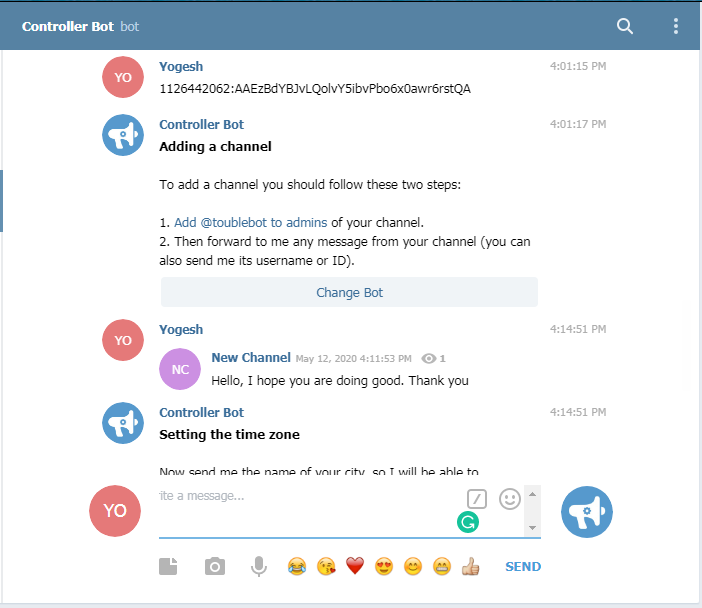
Now set the newly created bot account with @BotFather as an administrator to your channel, where you want to schedule post.
-
To set as an admin, go to, channel settings—admins—add admins—type the bot name—select and add.
-
Now, forward any message from your channel to connect with the @ControllerBot.
-
Now your channel is connected to the @ControllerBot.
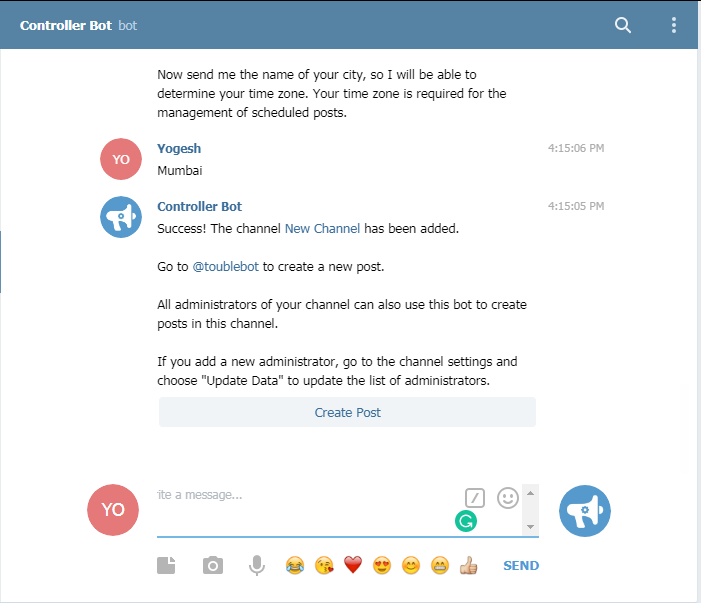
Now that you have successfully connected your Telegram Channel with @ControllerBot, you can start creating a post and scheduling them for your followers. The following are the steps.
-
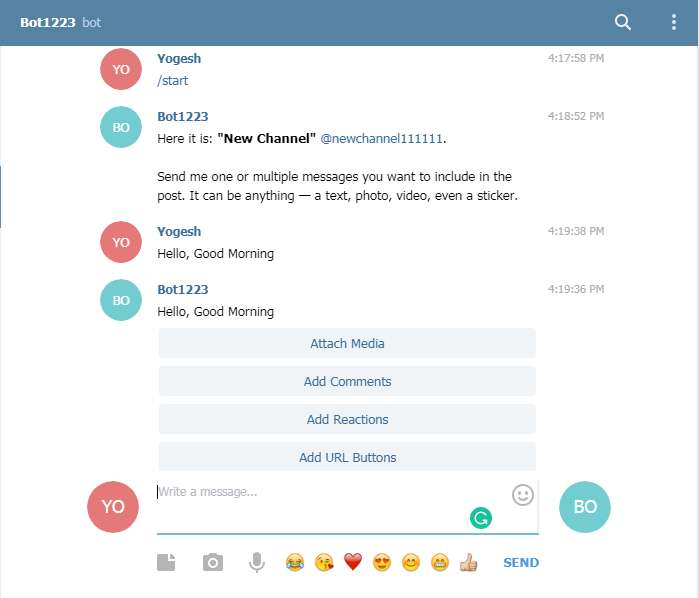
Click on Create Post in the @ControllerBot window.
-
It will take you to the bot you created previously using @BotFather.
-
Write the post that you want to send. You can also attach media, add reactions, comments, and URL buttons to your post.
-
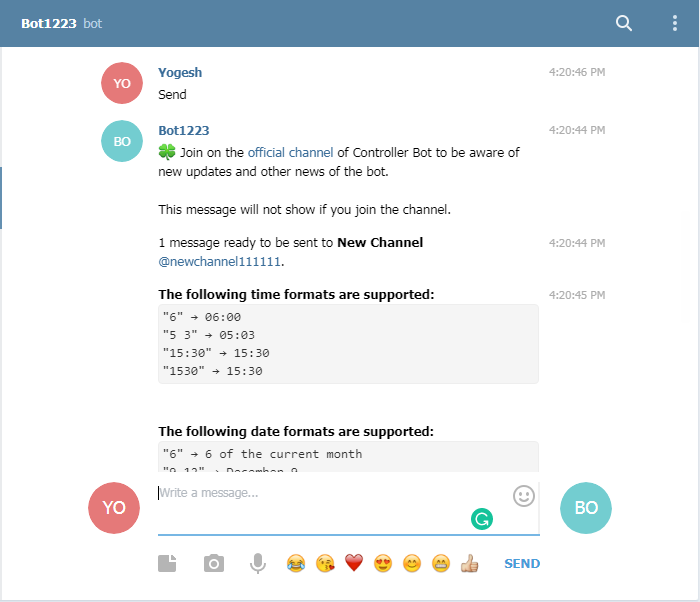
Once you create the post with all the details, click on send.
-
You can choose to publish the post right away or later.
-
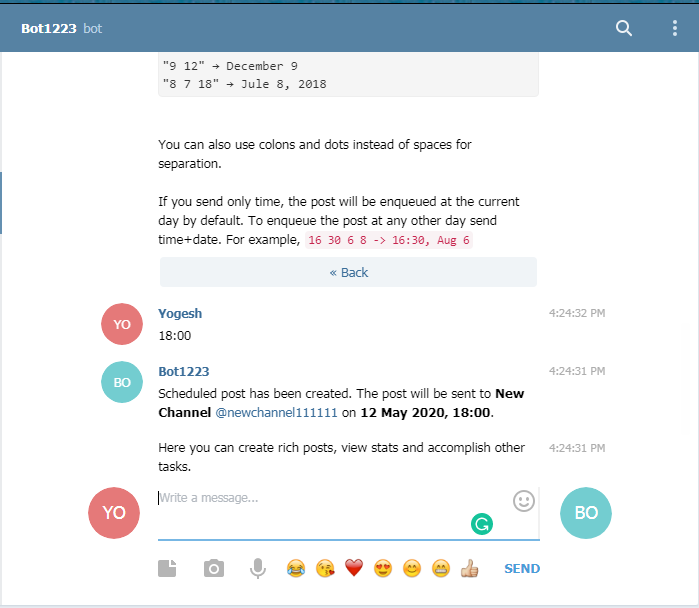
Choose the time for the schedule and provide the time.
-
If you wish to send it at 6 PM, provide the time in the format as 18:00.
Your post will be published on your channel at the specified time. Follow the same steps to create and publish more posts as per your schedule.
2. Using Hold Send Button
Apart from scheduling posts using @ControllerBot, you can also schedule a post for your channel by long-pressing the send button. Once you type your message in your channel, hold the send button to schedule the time. It is that simple. However, the hold send button will only work for Telegram mobile applications. It will not work for Desktop Telegram.
Once you schedule your post using the hold send button feature, all of your scheduled posts will be shown in the Scheduled messages chatbox. From there, you can edit, delete or forward your message as required. Just long-press on the message and different options will appear. It is that simple.
Final Thoughts
Scheduling posts in Telegram is a great tool to keep your followers informed about the most recent updates and information, in a timely manner. Although the hold send button feature is very simple to schedule post, it does not work for desktop Telegram. Moreover, apart from scheduling posts, @ControllerBot also allows you to see the statistics related to your channel. Stats about your post will not be available using the hold send button feature.